
QR & Bar Code
Know where every piece of glass is, at every stage, by scanning its label.
Last updated 31 October 2026
Every glass piece gets a QR label the moment the order is confirmed. Workers scan it with a phone camera as the piece moves through cutting, edging, drilling, washing, the furnace and quality check. Each scan records the stage, the worker and the time.
The office no longer walks the floor to find a sheet. Search an order and you see which pieces are done, which are stuck and which have broken. Lost or damaged labels can be reprinted from the order screen in seconds.
- One label per piece, with size, thickness and customer
- Camera scanning on any Android or iPhone
- Full scan history per piece and per order
- Reprint single labels or a whole order
How a piece is tracked from label to dispatch
Each glass piece gets its own label with a QR code once the order is booked. When a piece reaches a stage, the worker scans the label and the order updates for the whole factory: cutting, edge polishing, fabrication, washing, toughening, then packing and dispatch. The office sees which pieces of an order are done and which are still waiting, without walking the floor.
What the worker sees on the scanner screen
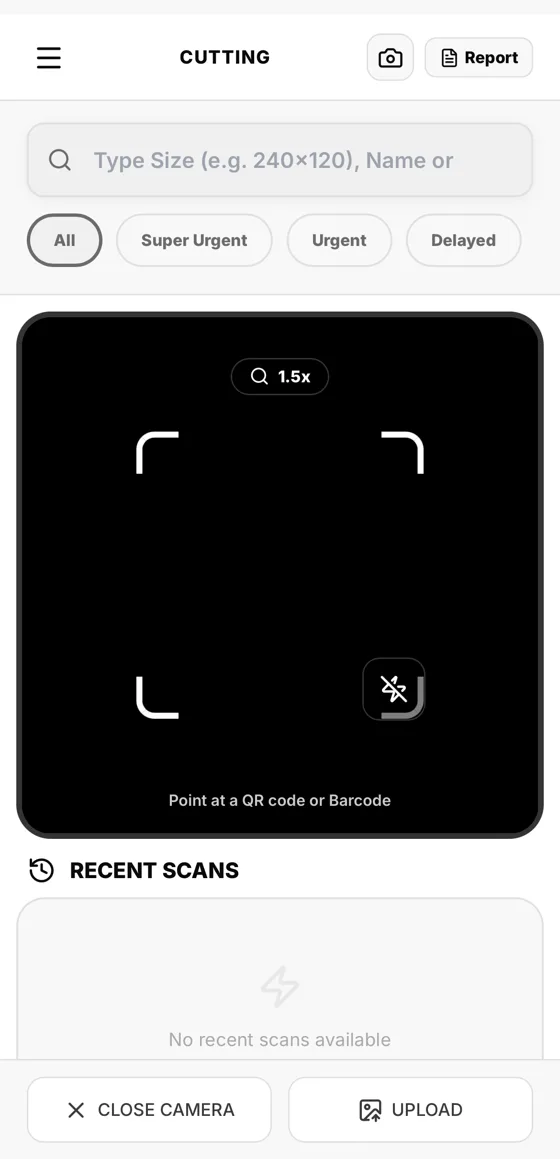
The scanner screen shows the phone camera with the prompt "Point at a QR code or Barcode", a torch switch, a zoom control and a list of recent scans. If a label is torn or the camera cannot read it, the worker can upload a photo of the label or type a size, a customer name or an order number instead. Filters for Super Urgent, Urgent and Delayed put the pieces that matter first.
Labels, reprints and lost labels
Label Printing is its own menu in the ERP. A damaged or missing label is printed again from the order, so a piece never has to wait in the yard because nobody knows which order it belongs to.
Questions about qr & bar code
Not here? Ask us on WhatsApp or book a demo and bring your own order.
Do workers need a special scanner?
No. The scanner runs on the phone camera, so any modern phone can scan the QR code or bar code on a label.
What if a label is damaged?
The worker can type the size or order number, or upload a photo of the label. The office can reprint the label from Label Printing.
Does one scan update the order for everyone?
Yes. The scan moves the piece to the next stage in the same order the office and the owner are looking at.