
Toughened glass ERP
Every sheet of glass, tracked from cutting to dispatch.
Vishwakarma Tuff ERP runs a toughening plant from one phone. Orders, QR labels, furnace loads, breakage, challans and payments all share the same data, so nobody walks the floor to find a sheet.
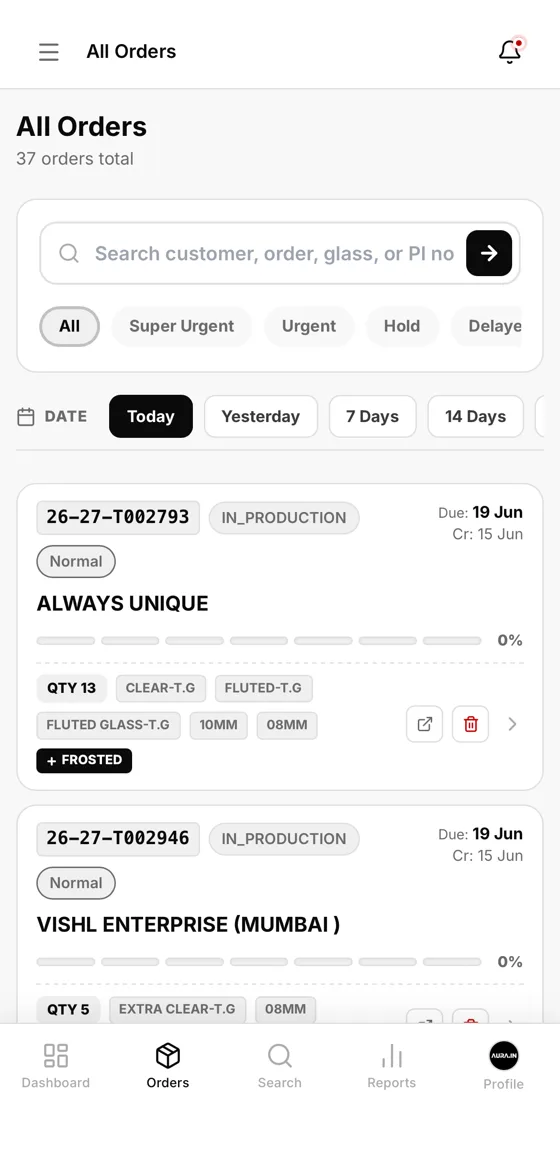
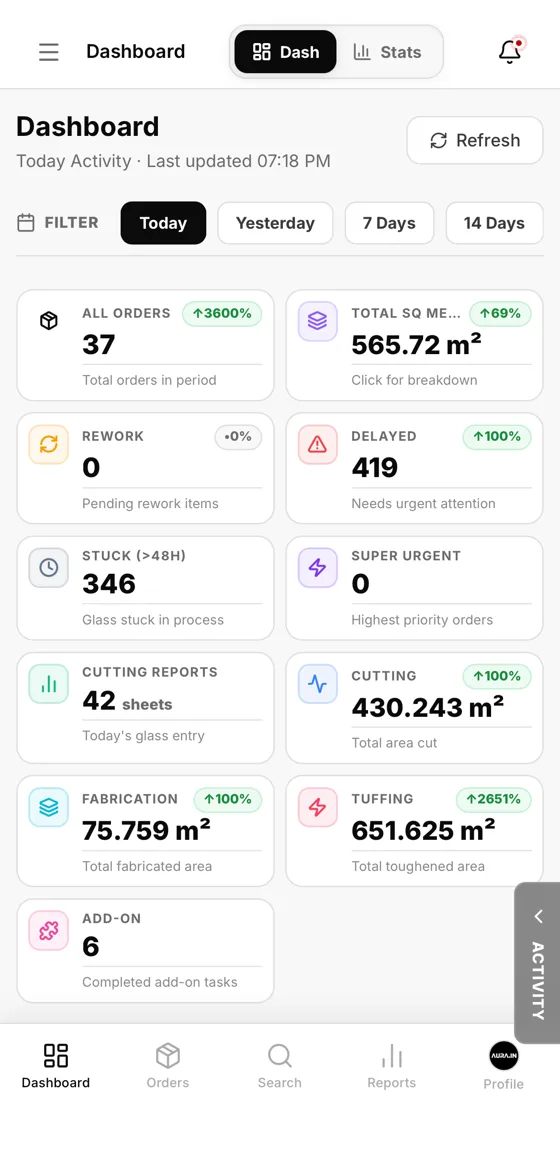
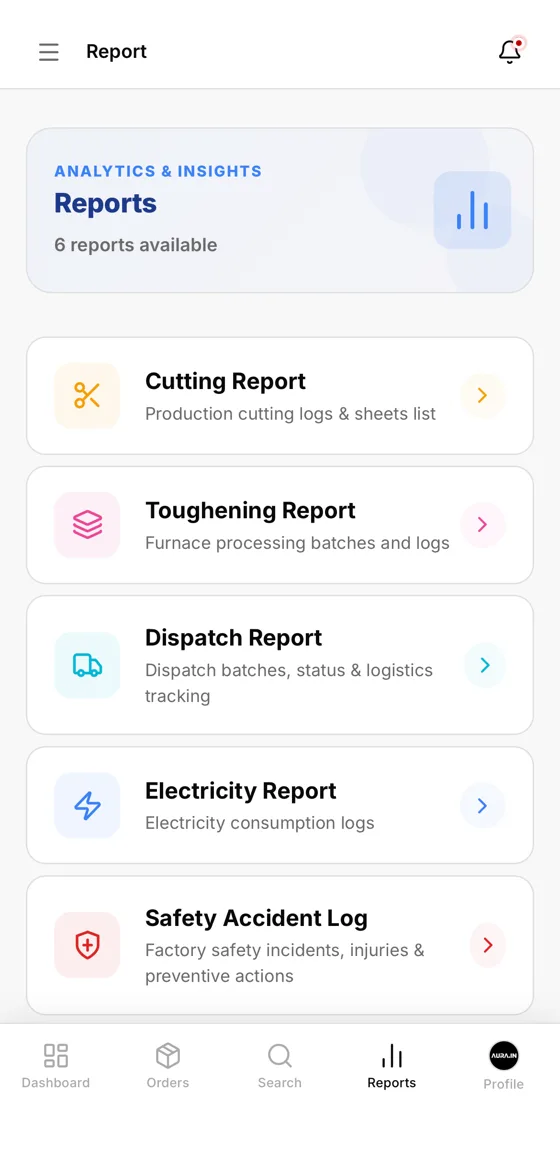
See it running
Scroll to open the laptop. This is the real Vishwakarma Tuff ERP, the same screens the office uses every day.
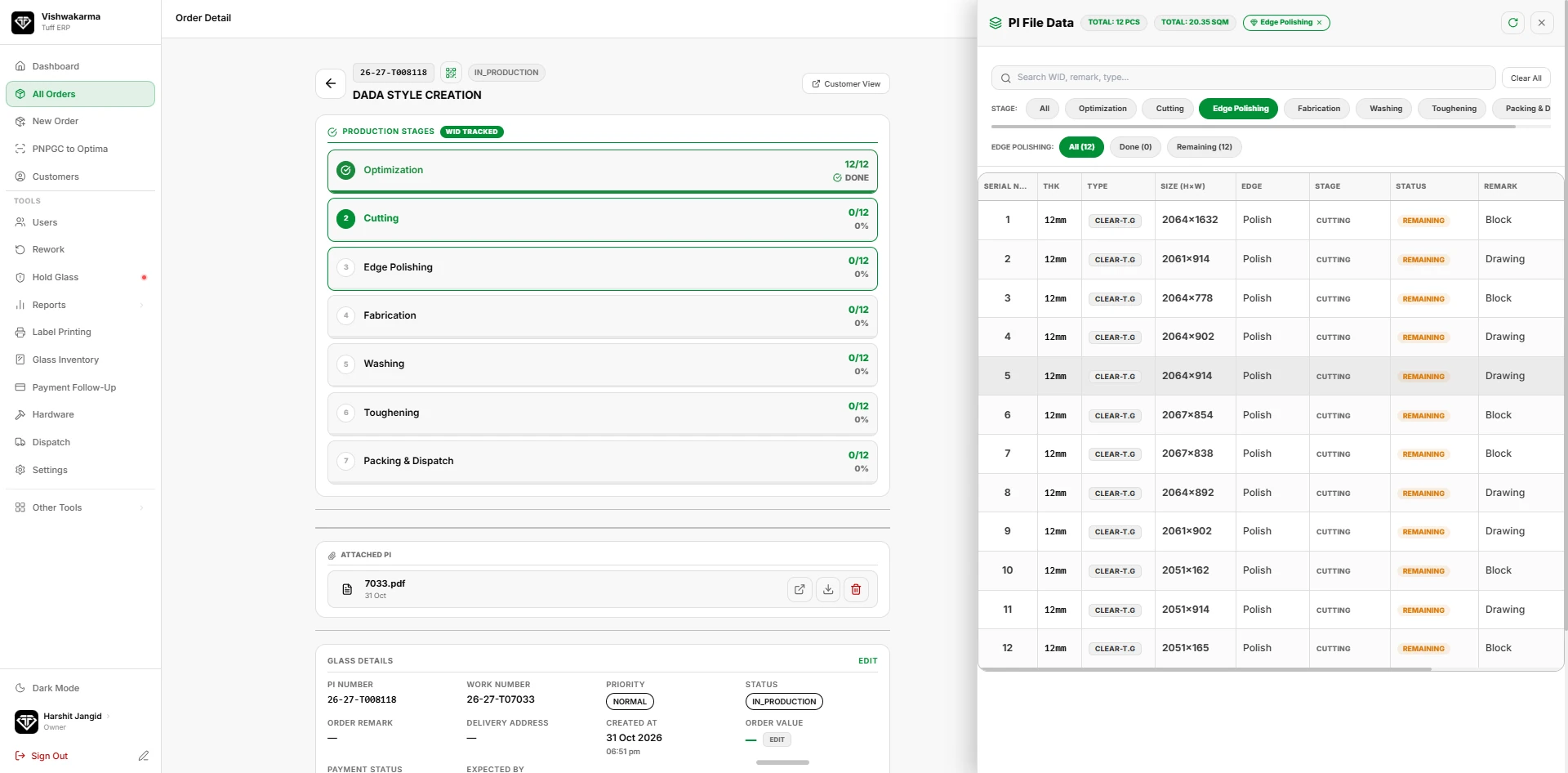
One system for the whole plant
Each module works on the same order, so a size typed at the front desk is the size printed on the label and the size on the challan.
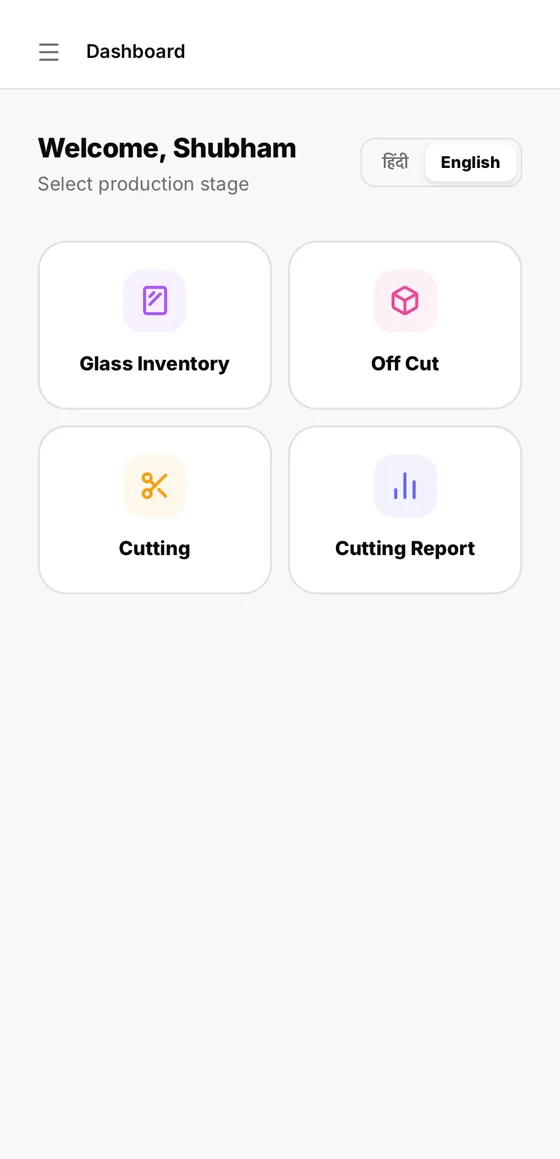
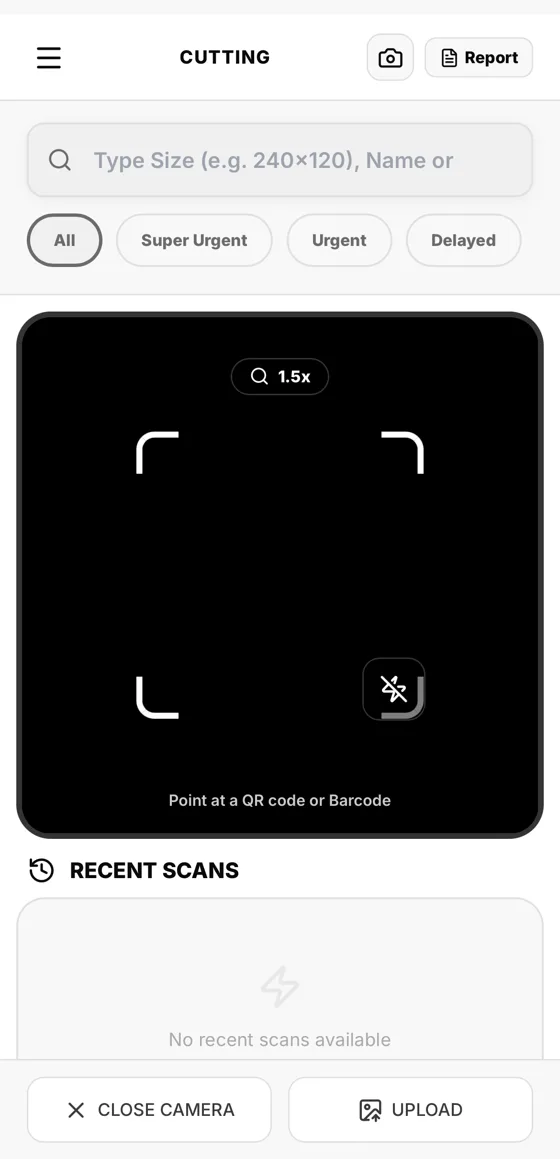
Made for the people holding the glass
Workers get their own login. They choose a stage, switch to Hindi if they like, and point the camera at a label. That one scan moves the piece forward and tells the office.
- Separate owner and worker logins
- Scan QR or bar code, or type the size
- Breakage recorded with the same scan
- Works on any Android or iPhone
From order to dispatch
- Book the orderEnter sizes once, or start from a drawing. Rates come from your rate master.
- Print QR labelsOne label per piece, with size, thickness and customer.
- Scan at each stageCutting, edging, furnace and QC update live as workers scan.
- Dispatch and collectChallan, delivery and payment follow-up stay on the same order.
Questions plant owners ask
Which glass types does it support?
Toughened glass in clear, extra clear, fluted, frosted, lacquered, mirror, patterned, reflective and tinted, including pieces with holes, notches and cutouts. Ask us before you assume laminated or insulated units are covered.
Can workers use it on the shop floor?
Yes. Workers log in on their phone, choose their stage in Hindi or English, and scan the QR or bar code on each piece with the camera.
Can my customers check order status?
Yes. Every order gets a tracking link that shows its current stage and expected delivery date. Customers open it on a phone with no login, and you can send the link on WhatsApp.
Is my data safe?
Data lives in a cloud database with separate owner and worker logins, and backup and restore are in Settings.
See it running on your own orders
Tell us about your plant. We will set up a demo with your glass types and sizes.
Call +91 63767 70017 or email oneaura.in@gmail.com